
Search these docs, or ask Revo a question — answers link the pages they came from.
Hamilton Cell Care FLASK
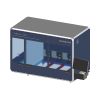 Hamilton Hamilton Cell Care FLASK Automated T-flask feeding, passaging and harvesting in a closed fluidic system.
The Hamilton Cell Care FLASK automates the routine maintenance of cell cultures grown in T-flasks. Hamilton describes it as standardising the feeding, passaging and harvesting of adherent and suspension cultures in T175 and Triple Flasks, which is work otherwise done by hand at a biosafety cabinet. It is a self-contained instrument rather than a deck module. Flasks are held in temperature-controlled storage, carried between modules by a shuttle, and clamped in swivel units that tilt and rock them in the way a cell biologist would.
The fluid path is closed. Hamilton’s MagPearl closure technology uses magnetically actuated valves along the whole path, from the tubing connections to the flask, so there is no open liquid transfer. Hamilton states this enables sterile processing without laminar airflow. During passaging, cells pass through a separation structure in the transfer tube between two swivel units, which Hamilton says breaks aggregates into single cells so that new flasks are seeded evenly.
Revolution drives the instrument through Hamilton’s WebMI software, using its REST API. Protocols are written in WebMI. A Revolution schedule runs them by name, waits for them to finish, and fails the step if any part of the protocol did not succeed. Two operations extend the main transport tray out to an external hand-over position and retract it again, so a robot can take or deliver a flask.
At a glance
Section titled “At a glance”| Type | Automated T-flask cell-culture instrument: feeding, passaging, harvesting |
| Flask formats | Barcoded T175 flasks and barcoded Triple Flasks |
| Capacity | Up to 16 flasks per run, 48 per day, per Hamilton |
| Liquid handling | Closed tubing system with MagPearl technology; no laminar flow required |
| Instrument software | WebMI (required — Revolution runs WebMI protocols, it does not author them) |
| Revolution transport | WebMI REST API v1, over HTTP |
| Revolution control | Run a stored protocol, abort it, extend and retract the tray for robot hand-over, send a raw module command |
Specifications
Section titled “Specifications”Hamilton publishes the following on the Cell Care FLASK product page.
| Height | 98 cm |
| Width | 1.45 m |
| Depth | 79.5 cm |
| Transport tools | Shuttle transport system |
| Capacity (T-flasks) | Up to 16 |
| Sample loading and tracking | Barcoded T175 flasks, barcoded Triple Flasks |
| Pipetting | Closed tubing system with MagPearl technology |
| Flask storage | Temperature-controlled, up to +40 °C, holding up to 16 T175 or Triple Flasks |
| Reagent storage | Compatible glass bottles and Gibco media formats, 250 mL to 2 L by reagent |
| Throughput | Up to 16 flasks per run, 48 per day |
Hamilton gives no weight or electrical rating on the product page.
Flask format is the specification that matters most for integration. The instrument takes T175 and Triple Flasks, barcoded, and nothing else is listed. The swivel units clamp the flask directly and the shuttle carries it without adapters, so other vessel formats are not something to assume.
Hamilton reports that automated feeding, passaging and harvesting can free up to 2–2.5 hours per run. Hamilton has also published technical notes on long-term expansion of HEK293, HT-29 and HepG2 cells and on sterility validation of the closed system.
Supported methods
Section titled “Supported methods”- Run protocol — run a protocol stored in WebMI, by name, and hold the step open until it finishes. Names are case-sensitive and may contain folders separated by forward slashes. Protocols take no parameters. The step passes only if every command in the protocol succeeded. It fails if the instrument is busy with another protocol, if a command fails, or if the timeout elapses. The timeout defaults to 1800 seconds, and zero means no limit
- Extend tray — move the main transport tray out to the external hand-over position, by running the protocol set in the device’s Extend Tray Protocol, and hold the step open until it finishes. A pass means the flask is ready for pickup. Same timeout as Run protocol
- Retract tray — move the tray from the hand-over position back into the instrument, by running the device’s Retract Tray Protocol. Run it only once the robot has released the flask and left the instrument’s hand-over area
- Abort protocol — ask WebMI to stop the protocol this device started, and wait until it has stopped. A command already in flight completes first. A protocol started from the WebMI browser cannot be stopped this way
- Send command — send one raw command to a module and wait for its reply, with a timeout of 1–120000 ms (default 5000 ms). The command string starts with the target node’s prefix, and the step fails if the module reports a fault. This is meant for commissioning and diagnostics, not for routine schedules
A run is judged on WebMI’s reported outcome, not on whether it reached a finished state. A run can finish and still fail, and Revolution treats that as a failure. When a run times out, or anything goes wrong while the driver is waiting on it, the driver aborts the run. The instrument is then left in an undefined physical state, so plan recovery at the instrument, not a blind retry.
WebMI runs one protocol at a time. If another protocol is already running, Revolution reports the refusal and does not retry.
What the driver does not do
Section titled “What the driver does not do”- It does not initialise or home the instrument’s modules. Bringing the device online in Revolution only connects to WebMI. Run WebMI’s own start-up protocol for that, either at the instrument or as a Run protocol step.
- It does not read the tray position or flask presence. A passing Extend tray or Retract tray run is the only confirmation that the tray reached its position. After a fault, check by eye where the tray is, whether a flask is on it and that the robot is clear before running either: moving from an unknown position can collide.
- It does not move the tray around a transfer. Nothing extends the tray automatically before a mover picks or places, or checks that it is out. The schedule must run Extend tray before the robot reaches in, and Retract tray after it has left.
- No flask inventory. Revolution does not track which flasks are in the instrument’s storage.
- No protocol authoring or parameters. Protocols are written in WebMI, and a schedule cannot pass values into one.
Integration
Section titled “Integration”The driver addresses the instrument as Hamilton configures it: the ACM processing module, two flask storage modules, the MTR shuttle and the SLAS extension exchange position, all behind a WebMI server.
Robot hand-over uses the main transport tray’s external position, which WebMI protocols reach. The driver does not move the tray itself: Extend tray and Retract tray run whichever WebMI protocols the device configuration names, and judge them like any other protocol run. The defaults are the two tray-movement protocols Hamilton supplied for its SLAS 2027 setup; a WebMI installation that names them differently needs the configuration changed. The driver declares no fixed set of locations, so the hand-over location a mover uses is defined in the system configuration.
When the device is initialised, the driver takes control of WebMI under a control label, loads the configured architecture, and waits until every device connection is up. It holds control until the device is uninitialised. On uninitialise it aborts any run of its own that has not finished, then releases control. A user at the WebMI browser always wins: the driver never overrides control held by someone else. The only control it reclaims by force is control left behind under its own label, for example after a crash.
In Revolution simulation mode nothing is sent to WebMI.
Prerequisites
Section titled “Prerequisites”- WebMI must be installed and running and reachable from the Revolution host, with the architecture file and the protocols the schedule will call already present.
- No browser user or other API client may hold WebMI control when the device initialises, or initialisation fails. Control left under this device’s own label is taken over, and any run still active under it is stopped first.
- The instrument’s modules must have been started up before a protocol that moves flasks runs.
- Flasks, media and reagents must be loaded at the instrument, because Revolution cannot load them or check them.
- For robot hand-over, the tray-movement protocols must exist in WebMI under the configured names, and the mover’s hand-over position must be taught against the extended tray. Robot motion into the instrument’s hand-over area needs a physical-safety review before it is used.
Device configuration
Section titled “Device configuration”| Property | Purpose |
|---|---|
| WebMI URL | WebMI base URL, without the /api/v1 suffix. Defaults to http://127.0.0.1:8090. Use 127.0.0.1 rather than localhost: WebMI listens on IPv4 only, and resolving localhost over IPv6 first stalls every request |
| Architecture File | Architecture to load at initialisation, exactly as WebMI lists it |
| Control Label | Name WebMI shows as the owner of control. Blank uses Revolution followed by the device name. Set it explicitly, and uniquely, when several systems share one WebMI |
| Connect Timeout (s) | How long initialisation waits for every device connection after loading the architecture. Defaults to 60 |
| Use WebMI Offline Mode (dry run) | Run against WebMI’s own simulated offline mode. Off by default. While it is off, any sign that a run or command executed offline fails the operation, because an offline pass never touched the instrument |
| Extend Tray Protocol | WebMI protocol that Extend tray runs. Defaults to SLAS2027/040b_mtr_demo_movement2; blank uses the default |
| Retract Tray Protocol | WebMI protocol that Retract tray runs. Defaults to SLAS2027/040a_mtr_demo_movement1; blank uses the default |
If you need more of this instrument driven from a schedule, get in touch — the driver is extended on demand.
Operations
These are available from a Run Device Operation step.
Abort Protocol
Asks WebMI to stop the protocol this device started and holds the step open until it has stopped. A command already in flight completes first, and the instrument is then left somewhere undefined. A protocol started from the WebMI browser cannot be stopped this way.
Extend Tray
Moves the main transport tray out to the external hand-over position by running the device's configured Extend Tray Protocol, and holds the step open until it finishes. A pass means the flask is ready for pickup. Before running it after a fault, check by eye where the tray is, whether a flask is on it and that the robot is clear: moving from an unknown position can collide.
| Parameter | Type | Default | Description |
|---|---|---|---|
| Timeout (s) | int | 1800 | How long to allow the protocol run before this step aborts it. Zero means no limit. When the limit elapses the run is aborted at its next step boundary and the step fails; the instrument then stops somewhere undefined. |
Raise Error
Makes this device report a failure on demand: the step fails with an error naming the device, and the operator is offered the usual error recovery choices. No command reaches the instrument and nothing moves, and the failure is raised in simulation as well as on a real system, so this is the step to use when rehearsing how a schedule handles a device failure.
Retract Tray
Moves the main transport tray from the external hand-over position back into the instrument by running the device's configured Retract Tray Protocol, and holds the step open until it finishes. Run it only once the robot has released the flask and left the instrument's hand-over area. After a fault, check the tray by eye first: moving from an unknown position can collide.
| Parameter | Type | Default | Description |
|---|---|---|---|
| Timeout (s) | int | 1800 | How long to allow the protocol run before this step aborts it. Zero means no limit. When the limit elapses the run is aborted at its next step boundary and the step fails; the instrument then stops somewhere undefined. |
Run Protocol
Runs a protocol stored in WebMI on the Cell Care FLASK and holds the step open until it finishes. The step passes only if every command in the protocol succeeded; it fails if the instrument is busy with another protocol, if a command fails, or if the timeout elapses first.
| Parameter | Type | Default | Description |
|---|---|---|---|
| Protocol Name | string | — | Name of the WebMI protocol to run, exactly as WebMI lists it. Names are case-sensitive and may contain folders separated by forward slashes, for example SLAS2027/MTR/MTRtoACM. Protocols are written in WebMI and take no parameters. |
| Timeout (s) | int | 1800 | How long to allow the protocol run before this step aborts it. Zero means no limit. When the limit elapses the run is aborted at its next step boundary and the step fails; the instrument then stops somewhere undefined. |
Send Command
Sends one raw command to a module of the Cell Care FLASK and waits for its reply. The step fails if the module reports a fault or does not reply in time. Intended for commissioning and diagnostics.
| Parameter | Type | Default | Description |
|---|---|---|---|
| Command | string | — | Complete WebMI command string, starting with the target node's prefix. Read node prefixes from WebMI rather than building them: the same device is addressed A0VA behind a network master and VA on a directly attached CAN bus. The command syntax is defined in the device's interface file. |
| Timeout (ms) | int | 5000 | How long to wait for the device's reply, from 1 to 120000 ms. |