
Search these docs, or ask Revo a question — answers link the pages they came from.
Formulatrix Mantis
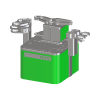 Formulatrix Formulatrix Mantis Non-contact microfluidic dispenser, 100 nL and up.
The Formulatrix Mantis is a non-contact reagent dispenser. Liquid is not drawn up into a tip and pushed back out; it is metered by micro-diaphragm pumps built into a disposable chip and fired into the plate from above, so nothing touches the well. Formulatrix describes it as dispensing from 100 nL upwards at a CV under 2%, into any SBS plate from 6 to 1536 wells or into a custom layout.
Volume range is set by the chip. Low Volume chips carry 100 nL and 500 nL, or 1 µL and 5 µL, diaphragms; High Volume chips cover the microlitre range; Continuous Flow chips switch from pulsed metering to bulk flow for larger volumes and thicker reagents; and the Mantis XL chip dispenses 50 µL in a single actuation. An optional LC3 chip changer holds a library of chips so a run can change reagent without an operator.
Revolution drives the Mantis through the Liquid Dispenser integration service that the Mantis software hosts on the instrument PC. Dispense lists and sequences are still written in the Mantis software; a schedule runs them by file path and waits for the instrument to finish. It can also home the stages, attach and detach a chip, prime, wash and recover, and read the dispenser’s status. The driver names no Mantis variant — it registers the instrument simply as the Mantis — and it does not offer the Tempest and Formulator commands that the same integration service carries.
At a glance
Section titled “At a glance”| Type | Non-contact, chip-based microfluidic reagent dispenser |
| Volume range | From 0.1 µL; no upper limit published, per Formulatrix |
| Precision | CV <2% at 0.1 µL, per Formulatrix |
| Plate formats | Any SBS template from 6 to 1536 wells, plus custom layouts |
| Footprint | 350 × 232 × 212 mm |
| Revolution transport | Formulatrix Liquid Dispenser integration service (WCF), hosted by the Mantis software |
| Revolution control | Run a dispense list or sequence, stop a run, home, attach and detach a chip, prime, wash, recover, read status |
Specifications
Section titled “Specifications”Formulatrix publishes the following on the Mantis product page.
| Technology | Micro-diaphragm pumps, plus continuous flow |
| Volume range | Minimum 0.1 µL; maximum not limited |
| Precision | CV <2% at 0.1 µL |
| Dispense rate | Each valve cluster can fill and dispense up to 10 times per second |
| Continuous-flow bulk dispensing | >600 µL per second |
| Dead volume | 6 µL, using pipette tips as reagent reservoirs; 70 µL on the Mantis XL chip |
| Mantis XL chip | 50 µL in a single actuation; perfluoroelastomer diaphragm, FEP body |
| Plate formats | Any SBS template, 6 to 1536 wells; custom layouts programmable |
| Dimensions | 350 mm × 232 mm × 212 mm |
| Chip changer (option) | LC3, up to 24 chips, or up to 48 in a dual configuration |
| QC Station (option) | LEDs and optical sensors detect drops at the start and end of each run |
| Software | Optional 21 CFR Part 11 capable software with user accounts and audit trails |
Formulatrix publishes CV by chip type, each figure the average of three readings:
| Chip | Volume | CV |
|---|---|---|
| Low Volume | 0.1 µL / 0.5 µL / 1 µL | 1.4% / 0.5% / 0.4% |
| High Volume | 1 µL / 5 µL / 10 µL / 25 µL | 0.8% / 1.1% / 0.5% / 0.4% |
| Continuous Flow | 25 µL / 50 µL / 100 µL / 200 µL | 0.3% / 0.4% / 0.3% / 0.2% |
The footprint is the figure that decides placement: Formulatrix states the compact dimensions let the Mantis be used in various biosafety cabinets. No weight is published.
Supported methods
Section titled “Supported methods”Running dispenses
Section titled “Running dispenses”- Run dispense list — load a dispense list file into the Mantis software, check the instrument has the ingredients it names, run it, and hold the step open until the Mantis is idle again. The file is a full path on the Mantis PC, not on the Revolution host. The timeout defaults to 3600 seconds; zero means no limit
- Run sequence — the same for a sequence file. There is no ingredients check for a sequence
- Stop run — stop the dispense list or sequence that is executing, leaving the plate partly dispensed. It can be sent while another step is still waiting on that run
A run passes when the Mantis goes idle. The integration service reports no run outcome, so the driver cannot tell a complete dispense from one the Mantis abandoned. A run step fails only if the Mantis refuses or faults a call, or if the timeout elapses — in which case the driver stops the run and the plate is left partly dispensed. After starting a run, the driver polls the Mantis every second; if the instrument never reports busy within 5 seconds of the run call returning, the work is taken to have finished already.
The ingredients check. After loading a dispense list, the driver reads whether the Mantis reports its ingredients as ready. If not, the step fails before anything is dispensed, with the reagents the list needs in the message. The Require Ingredients Ready setting turns this check off.
Chips and liquid paths
Section titled “Chips and liquid paths”- Home stages — home the Mantis stages
- Attach chip — attach the chip at a numbered input (from 1) to the dispensing hand, so that prime, wash and recover act on it
- Detach chip — detach the chip from the hand
- Prime — prime the chip in the hand, or every available input when All inputs is set
- Wash — wash the chip in the hand, or every available input
- Recover — run the Mantis recover routine on the chip in the hand, or on every available input
- Wash input — wash one input, selected by number
Prime, wash and recover take a volume; zero, the default, uses the Mantis software’s own default. Formulatrix’s integration API does not state the volume’s units; the Mantis software works in microlitres. Each of these steps holds open until the Mantis is idle again, within the device’s Command Timeout, and fails if the Mantis is busy when it starts.
Reading the dispenser
Section titled “Reading the dispenser”- Read status — read the dispenser’s state and publish it to the schedule. Nothing on the instrument changes
Read status publishes Mantis.Status (READY, READY_TO_DISPENSE or BUSY),
Mantis.IsConnected, Mantis.IsSimulation, Mantis.IsDispenseRunning,
Mantis.IsPlateClampClosed, Mantis.IsFileLoaded, Mantis.IsIngredientsReady,
Mantis.DispenseListFile and Mantis.EstimatedExecutionTime. Formulatrix does not document the
units of the estimated time. The flag values are decoded from status bit fields whose numbering the
integration reference leaves open; Revolution’s reading of them has not yet been confirmed on an
instrument, so treat them as advisory.
Transfers
Section titled “Transfers”The driver declares no fixed set of locations: a location a mover uses to place a plate on the Mantis is defined in the system configuration. Before a mover picks from or places on that location, the driver checks the Mantis is not busy or dispensing, and refuses the transfer if it is. It does not open or close the plate clamp; Formulatrix’s integration service offers no command for it.
What the driver does not do
Section titled “What the driver does not do”- It does not author or edit dispense lists or sequences, or pass values into one.
- It does not read which chip is attached, or which chip type is fitted. Chips are addressed only by input number.
- It does not offer the service’s command to clear the loaded dispense list, or its legacy wash command for older Mantis software.
- It does not offer the Tempest-only commands (input stocks, pressure and vacuum, plate loading positions) or the Formulator-only washes that the same service carries.
Integration
Section titled “Integration”Revolution talks to the Formulatrix Liquid Dispenser integration service, a WCF service the Mantis software hosts on the instrument PC. No Formulatrix assembly is installed on the Revolution host: the driver carries its own copy of the service contract. The service endpoint and binding are set in the Mantis software’s configuration file, and the device’s Service URL must match them. Each call opens its own channel with its own timeout — 30 seconds for status reads and stop requests, the Command Timeout for loading a file and for instrument commands, and the step’s own timeout for a run.
Initialising the device asks the Mantis software to start the integration service for this computer. The Mantis software may ask its operator to accept the request; the driver waits up to the Service Start Timeout for that, and fails if the operator denies it or does not answer in time. It then checks the Mantis software reports the instrument as connected. If the Mantis software is itself running in simulation, initialisation fails, because nothing would reach a plate — unless Allow Mantis Simulation is set for a dry run.
Revolution sends instrument commands one at a time: a step that arrives while another is in progress waits for it, then fails if the Mantis is still busy — for example with a run started in the Mantis software. Stop run, Read status and the transfer checks do not wait, so they reach a run in progress. Uninitialising stops any run the driver started and has not seen finish, then stops the integration service for this computer.
In Revolution simulation mode nothing is sent to the Mantis: each operation waits its simulated duration, and Read status publishes nothing.
Prerequisites
Section titled “Prerequisites”- The Mantis software must be running on the instrument PC, reachable from the Revolution host, with its integration service endpoint known.
- An operator at the Mantis PC may need to accept Revolution’s integration request each time the device initialises.
- Dispense lists and sequences must exist as files on the Mantis PC, and the reagents a dispense list names must be loaded on the instrument before it runs.
- The plate must be seated on the Mantis by the mover or an operator. Revolution does not confirm a plate is present before a run.
Device configuration
Section titled “Device configuration”| Property | Purpose |
|---|---|
| Service URL | Endpoint of the Formulatrix integration service, as set in the <system.serviceModel> section of the Mantis software’s .exe.config on the instrument PC. Required |
| WCF Binding (blank = from URL) | NetTcp, NetTcpNoSecurity, BasicHttp, WSHttp or NetNamedPipe, matching the service’s configuration. Blank chooses from the URL scheme: net.tcp gives NetTcp, net.pipe NetNamedPipe, http and https BasicHttp |
| Client Computer Name | Name Revolution identifies itself by when it starts and stops the integration service. Blank uses the Revolution host’s machine name |
| Service Start Timeout (s) | How long initialisation waits for the operator to accept the integration request. Defaults to 120 |
| Command Timeout (s) | Limit for home, attach, detach, prime, wash and recover. Defaults to 600 |
| Allow Mantis Simulation (dry run) | Allow initialisation when the Mantis software is in its own simulation mode. Off by default |
| Require Ingredients Ready | Refuse to run a dispense list the Mantis reports it lacks ingredients for. On by default |
If you need more of this instrument driven from a schedule, get in touch — the driver is extended on demand.
Operations
These are available from a Run Device Operation step.
Attach Chip
Attaches the chip at the given input to the dispensing hand, so that Prime, Recover and Wash act on it. The step fails if the Mantis is busy.
| Parameter | Type | Default | Description |
|---|---|---|---|
| Input Number | int | 1 | The Mantis input, numbered from 1. |
Detach Chip
Detaches the chip from the dispensing hand. The step fails if the Mantis is busy.
Home Stages
Homes the Mantis stages and holds the step open until the Mantis is idle again. The step fails if the Mantis is busy when it starts.
Prime
Primes the chip in the hand, or every available input, with the given volume or the Mantis default, and holds the step open until the Mantis is idle again.
| Parameter | Type | Default | Description |
|---|---|---|---|
| All Inputs | bool | false | Acts on every available input instead of only the chip in the hand. |
| Volume (µL) | double | 0 | Volume to use. Zero uses the Mantis software's default. The integration API does not state its units; the Mantis software works in microlitres. |
Raise Error
Makes this device report a failure on demand: the step fails with an error naming the device, and the operator is offered the usual error recovery choices. No command reaches the instrument and nothing moves, and the failure is raised in simulation as well as on a real system, so this is the step to use when rehearsing how a schedule handles a device failure.
Read Status
Reads the Mantis status and publishes it to the schedule as Mantis.Status, Mantis.IsConnected, Mantis.IsDispenseRunning, Mantis.IsIngredientsReady, Mantis.DispenseListFile and related variables. Nothing on the instrument changes.
Recover
Runs the Mantis recover routine on the chip in the hand, or on every available input, with the given volume or the Mantis default, and holds the step open until the Mantis is idle again.
| Parameter | Type | Default | Description |
|---|---|---|---|
| All Inputs | bool | false | Acts on every available input instead of only the chip in the hand. |
| Volume (µL) | double | 0 | Volume to use. Zero uses the Mantis software's default. The integration API does not state its units; the Mantis software works in microlitres. |
Run Dispense List
Loads a dispense list file into the Mantis software, checks the instrument has the ingredients it needs, runs it and holds the step open until the Mantis is idle again. The Mantis reports no run outcome, so the step passes unless the Mantis refuses a command or the timeout elapses, which stops the run.
| Parameter | Type | Default | Description |
|---|---|---|---|
| Dispense List File | string | — | Full path of the dispense list file, on the Mantis PC. Resolved by the Mantis software on the instrument PC, not on the machine running the schedule. Dispense lists are authored in the Mantis software, and the reagents they name must already be loaded on the instrument. |
| Timeout (s) | int | 3600 | How long to allow the run before this step stops it. Zero means no limit. When the limit elapses the run is stopped and the step fails, leaving the plate only partly dispensed. |
Run Sequence
Loads a sequence file into the Mantis software, runs it and holds the step open until the Mantis is idle again. The step passes unless the Mantis refuses a command or the timeout elapses, which stops the run.
| Parameter | Type | Default | Description |
|---|---|---|---|
| Sequence File | string | — | Full path of the sequence file, on the Mantis PC. |
| Timeout (s) | int | 3600 | How long to allow the run before this step stops it. Zero means no limit. When the limit elapses the run is stopped and the step fails, leaving the plate only partly dispensed. |
Stop Run
Stops the dispense list or sequence the Mantis is executing, leaving the plate partly dispensed. It can be sent while another step is waiting for that run.
Wash
Washes the chip in the hand, or every available input, with the given volume or the Mantis default, and holds the step open until the Mantis is idle again.
| Parameter | Type | Default | Description |
|---|---|---|---|
| All Inputs | bool | false | Acts on every available input instead of only the chip in the hand. |
| Volume (µL) | double | 0 | Volume to use. Zero uses the Mantis software's default. The integration API does not state its units; the Mantis software works in microlitres. |
Wash Input
Washes one input, selected by number, and holds the step open until the Mantis is idle again.
| Parameter | Type | Default | Description |
|---|---|---|---|
| Input Number | int | 1 | The Mantis input, numbered from 1. |