
Search these docs, or ask Revo a question — answers link the pages they came from.
StarV Plus with extension
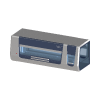 Hamilton StarV Plus with extension Hamilton StarV Plus liquid handler with a left housing extension, driven through VENUS.
The StarV Plus with extension device entry drives a Hamilton STAR V-class liquid handler in its “Plus” build, fitted with a left housing extension. It is the sibling of StarV with extension. Like every STAR-family instrument, it is programmed and run in Hamilton’s VENUS software, and Revolution drives it through VENUS using Hamilton’s instrument control concept (ICC) work-step interface. The instrument keeps its full pipetting capability, and the schedule decides when each piece of work runs.
How it differs from StarV with extension
Section titled “How it differs from StarV with extension”In Revolution, the only differences are the declarations on the driver class:
| StarV with extension | StarV Plus with extension | |
|---|---|---|
| Driver class | HamiltonStarVICCDevice | HamiltonStarVPlusICCDevice |
| Name and description | ”Hamilton StarV liquid handler with the left housing extension fitted" | "Hamilton StarV Plus liquid handler with the left housing extension fitted” |
| 3D model in the cell layout | StarV, 2 m | StarV Plus, 2 m, with left housing |
Both classes are empty subclasses of the same VENUS driver. Neither overrides anything, so the operations, device properties, transport and error handling below are identical. Choose the entry that matches the instrument on your bench so the cell layout shows the right model. Nothing else changes.
The same driver also backs Hamilton Star ICC, Hamilton Starlet ICC, Hamilton Vantage ICC, Hamilton Nimbus ICC and the generic Hamilton Venus 5 entry.
At a glance
Section titled “At a glance”| Platform | Hamilton Microlab STAR V-class, “Plus” build with left housing extension |
| Pipetting technology | Air displacement with CO-RE II tip/tool attachment; MagPip channels available |
| Deck capacity | 60 ANSI/SLAS positions on the published STAR V 2.0 (not published for this build) |
| Pipetting range | 0.35 µL – 5000 µL, depending on configuration |
| Instrument software | VENUS (required — Revolution runs VENUS worklists and work steps, it does not replace them) |
| Revolution control | Run a worklist, run a work step, continue, abort, liveness check |
Specifications
Section titled “Specifications”Hamilton does not publish a product or specification sheet named “STAR V Plus”. The platform it does publish under that family name is the Microlab STAR V, which Hamilton describes as combining the flexibility of STAR with the throughput of VANTAGE. It comes in two widths, 1.3 and 2.0. Revolution’s 3D model for this entry is a 2 m instrument, so the figures below are Hamilton’s published numbers for the Microlab STAR V 2.0. They are the closest verified reference, not measurements of the Plus build. No manufacturer figure verified for this page covers the left housing extension, including its dimensions and what it adds to the deck.
| 1 mL channels | up to 16 |
| 5 mL channels | up to 8 |
| Fluid Motion X1 channels (1000 µL) | up to 16 |
| MagPip channels | up to 8 |
| Multi-probe head | 96 and/or 384 |
| Pipetting range | 0.35 µL – 5000 µL, depending on configuration |
| Capacity | 60 ANSI/SLAS positions |
| Device integration | 270° (left, right and rear) |
| Sample loading | Automatic; 1D Autoload barcode scanner standard, 2D optional |
| Transport tools | CO-RE Gripper and Internal Plate Gripper (IPG), both optional |
| Height | 96 cm |
| Width | 2.01 m (before the housing extension) |
| Depth | 98 cm |
| Weight | 315 kg (before the housing extension) |
Hamilton states that MagPip channels pipette volumes from 350 nL to 750 µL, which matches the 0.35 µL floor of the overall range. Expect that floor only where MagPip channels are fitted. The STAR V product page also quotes 80 SBS deck positions, against 60 ANSI/SLAS positions on the 2.0 specification sheet. Hamilton does not explain the difference, so confirm deck capacity for your build with Hamilton.
Pipetting and monitoring technologies
Section titled “Pipetting and monitoring technologies”Hamilton lists these technologies for the STAR V. Which ones a given instrument has depends on how it was configured. Revolution does not select them; the VENUS method does.
- CO-RE II tip/tool attachment, with aerosol-free tip ejection
- MagPip — channels with a tubular linear drive, for fast low-volume pipetting
- MAD (Monitored Air Displacement) — flags clots, empty wells and other aspiration problems, and confirms a successful aspiration, per channel
- TADM (Total Aspiration and Dispense Monitoring) — real-time pressure monitoring per channel against expected values, with a digital audit trail on each transfer
- cLLD and Dual LLD — capacitive, or capacitive plus pressure-based, liquid level detection
- ADC (Anti-Droplet Control), LFC (Liquid Fractionation Control) and DPS (Dynamic Positioning System)
- CO-RE Gripper and Plate Gripper — on-deck labware transport. Hamilton states the Plate Gripper can also reach nearby off-deck devices, and that the access location depends on the platform
- Autoload — barcode identification of samples, carriers and consumables as they are loaded
TADM matters most for regulated work. It is Hamilton’s per-transfer audit trail, and the VENUS method produces it, not Revolution.
Supported methods
Section titled “Supported methods”The pipetting itself is defined in VENUS. Revolution triggers the right work at the right point in a schedule, using the ICC work-step interface.
- Execute worklist — run a VENUS worklist file that already exists on disk, with a timeout. Every deck location is claimed while it runs, so no transfer device can reach onto the deck
- Execute work step — run one work step composed in the schedule, with a timeout. You give
a method name (for example
LoadLabware,AliveorHomeArm) and its parameter rows. Each value keeps its declared type, and the rows are sent in order - Continue VENUS work step — send the ICC
Continuestep. This releases a VENUS that is holding a work step open after a recoverable error or a pause. VENUS then does whatever the operator chose in its own dialog - Abort VENUS work step — send the ICC
Abortstep, telling VENUS to abandon the running work step and return to idle - Is alive — send an ICC
Alivework step and wait for VENUS to return to idle. Nothing on the deck moves - Abort worklist locally — stop Revolution waiting on the current worklist. This sends no abort to VENUS, so the run carries on at the instrument
If VENUS reports a recoverable error during a worklist or work step, the step stops. Revolution
then asks the operator whether to continue or abandon it, and these choices map one-for-one onto
the ICC Continue and Abort steps.
The timeout on the two execute operations is the schedule’s only protection against a VENUS method that never returns. A zero or negative value falls back to 60 seconds rather than meaning no limit, so set it from the real duration of the method. Abort VENUS work step and Abort worklist locally also need to be kept apart at recovery time, because only the first one stops the instrument.
Integration
Section titled “Integration”Control goes through VENUS over one of two interfaces: a file exchange through a shared folder, or the VENUS REST API. The mode is a device setting, and it decides which of the configuration properties below are read.
When a robot loads or unloads the deck, the driver runs the configured pre-loading worklist first, to move the Hamilton to a safe position. After the transfer it sends short load and unload worklists, so the VENUS deck model stays in step with what the robot has done.
Prerequisites
Section titled “Prerequisites”- VENUS must be installed and configured on the instrument PC, with the methods and worklists the schedule will call already present. Revolution runs them; it does not author them.
- The VENUS listening method must be running. Revolution can start it at initialisation if Listening method file is set; otherwise start it outside Revolution.
- In file-exchange mode, the exchange folder must already exist and be writable by both VENUS and the Revolution host.
- In REST mode, the VENUS REST server must be running and reachable from the Revolution host, and its authentication token known.
- The deck layout in VENUS and the cell layout in Revolution must agree on the positions a mover will load and unload.
Device configuration
Section titled “Device configuration”| Property | Purpose |
|---|---|
| Venus Communication Mode | File exchange or REST API. Selects which properties below apply |
| File Exchange Folder | Shared folder holding the exchange files, in file-exchange mode. Must already exist |
| Master To Venus Filename | File the driver writes commands to |
| Venus To Master Filename | File the driver reads status from |
| Venus Exchange Format | How the exchange files are serialised. REST is always JSON |
| Venus REST base URL | Address of the VENUS REST server, for example https://127.0.0.1:12345 |
| Venus REST authentication token | Sent as the token query parameter |
| Status poll interval | Milliseconds between GET /status polls |
| Request timeout | Per-request HTTP timeout in milliseconds |
| Accept self-signed certificate | Accept a self-signed TLS certificate from the VENUS REST server, which is typical when that server runs on localhost |
| Pre Loading Worklist | Worklist that moves the Hamilton to its safe position before a robot enters the deck. Read only by a robot pick or place |
| Temp File | Kept so existing configurations still load. The driver no longer writes it |
| Listening Method File | VENUS listening method (.med) to start at initialisation through VENUS Run Control. When set, initialisation waits for VENUS to answer an Alive work step |
| Run Control Executable | Path to VENUS Run Control. Defaults to where VENUS installs it |
| Listening Method Start Timeout Seconds | How long initialisation waits for the listening method to answer |
| Terminate On Uninitialise | Send the ICC Terminate step when the device is uninitialised. This does not abort work already running |
| Publish Status Parameters | Turn each key in VENUS status messages into a schedule variable when the work step ends |
| Status Parameter Prefix | Prefix added to those variable names, so VENUS cannot overwrite a schedule’s own variables |
| Load Interlock Timeout Seconds | How long a robot load or unload and a VENUS liveness check, continue, abort or deck update wait for each other before failing |
The lifecycle settings, from Listening Method File to Status Parameter Prefix, are off until configured. Without them the driver neither starts nor stops anything at the instrument.
Moving labware between positions on the deck itself is handled by a separate companion device, Hamilton Venus Transfer, not by this entry.
If you need more of this instrument driven from a schedule, get in touch — the driver is extended on demand.
Operations
These are available from a Run Device Operation step.
Abort Venus Work Step
Sends the ICC 'Abort' work step, instructing Venus to abandon the running work step and return to Idle.
| Parameter | Type | Default | Description |
|---|---|---|---|
| Timeout | TimeSpan | — | How long Venus may take to abandon the step and confirm it is Idle again. If it elapses the operation fails without that confirmation, so Venus may still be holding the work step open at the instrument. |
Abort Worklist Local
Cancels Revolution's own wait for the running worklist to report that it has finished, so the schedule step that is waiting fails straight away instead of waiting out its timeout. Nothing is sent to the instrument, so the work step Venus is running is not stopped: that takes the ICC 'Abort' work step instead.
Continue Venus Work Step
Sends the ICC 'Continue' work step, releasing a Venus that is holding a work step open after a recoverable error or a Pause.
| Parameter | Type | Default | Description |
|---|---|---|---|
| Timeout | TimeSpan | — | How long Venus may take to resume the held step and report itself Idle. If it elapses the release is reported as failed, which does not by itself mean Venus stopped, because the instruction to carry on had already been sent. |
Execute Worklist
Runs a whole Venus worklist read from a file, claiming every deck location until it finishes so no transfer device can reach onto the deck while it runs. A recoverable Venus error stops the step and asks the operator whether to let the work step carry on or abandon it.
| Parameter | Type | Default | Description |
|---|---|---|---|
| Worklist File | string | — | |
| Timeout | TimeSpan | — | How long Venus may go without its reported state changing, before giving up. A running worklist reports nothing but busy while it goes, so the window has to be long enough for every step in the file to finish. A zero or negative value falls back to 60 seconds rather than meaning no limit. |
Execute Workstep
Runs one Venus work step composed in the schedule itself, from a method name and the parameters to pass with it, with every deck location claimed while it runs. The step is rejected before anything reaches Venus if no method name was given.
| Parameter | Type | Default | Description |
|---|---|---|---|
| Work Step | DynamicParameter | — | |
| Timeout | TimeSpan | — | How long the single work step may take, until Venus reports Idle again. One step generally needs far less time than a whole worklist, but the same 60 second fallback applies if the value is zero or negative. |
Is Alive
Reports whether Venus is still responding, by sending an ICC 'Alive' work step and waiting for Venus to start it and return to Idle. Nothing on the deck is moved, and the step fails if a worklist is already running or if Venus does not answer within its fixed 60 second window.
Raise Error
Makes this device report a failure on demand: the step fails with an error naming the device, and the operator is offered the usual error recovery choices. No command reaches the instrument and nothing moves, and the failure is raised in simulation as well as on a real system, so this is the step to use when rehearsing how a schedule handles a device failure.