
Search these docs, or ask Revo a question — answers link the pages they came from.
Planar Motion Tile
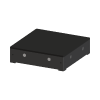 Planar Motor Planar Motion Tile Planar Motor maglev table — levitating carriers move plates between tile locations.
A planar motor is a conveyor with no belt and no track. A flat surface of motor tiles holds magnetic movers in the air above it and drives each one independently, in any direction across the surface. Planar Motor Inc. calls the tiles Flyways and the movers XBots; a controller, the PMC, runs them. Revolution uses the 3-Series hardware to carry plates between the instruments around a table, with robots loading and unloading the movers at fixed points.
Revolution names the parts Planar Motion Tile and Planar Motion Carrier, and they are separate devices on this one page because neither does anything without the other:
- One Planar Motion Tile device is the whole table — every Flyway in it — not a single tile. It owns the plate locations on the table’s surface and the table’s motion: the controller connection and the traffic control that keeps the carriers apart.
- Each carrier device is one XBot. It names the table it runs on, and it is what actually carries a plate from one tile location to another. There are two carrier devices, one per XBot size: Planar Motion Carrier, the 180 × 120 mm M3-08, and Planar Motion Carrier 120 x 120, the 120 × 120 mm M3-06 with an SBS plate holder. They behave identically; see The carriers for where they differ.
At a glance
Section titled “At a glance”| Type | Magnetic levitation planar motor: levitating movers over a surface of motor tiles |
| Tile (Flyway) | 240 × 240 mm square, the only tile size the driver models |
| Carrier (XBot) | M3-08, 180 × 120 mm, 1.0 kg payload; or M3-06, 120 × 120 mm, 0.6 kg payload |
| Speed and acceleration | Up to 3 m/s and 20 m/s², per Planar Motor; the driver runs at a configurable percentage |
| Instrument interface | Ethernet to the Planar Motor controller (PMC), through Planar Motor’s PMCLIB library |
| Revolution control | Plate transfers between tile locations, scheduled through the transfer system; operations to move, stop, land, levitate and report carriers, and to reconnect after a fault |
Specifications
Section titled “Specifications”Planar Motor publishes the following for the 3-Series on its product page and its technical portal.
System
Section titled “System”| Magnetic pitch | 30 mm |
| Maximum speed | 3 m/s |
| Maximum acceleration | 20 m/s² |
| Levitation height | 0.5 to 4 mm |
| Repeatability | About 1 µm, typical |
| Payload range | 0.6 kg to 20 kg, depending on XBot size |
| Number of Flyways and XBots | No stated maximum |
Flyway used by the driver
Section titled “Flyway used by the driver”Planar Motor lists two 3-Series Flyways: the square S3-AS and the rectangular S3-AN (480 × 120 × 70 mm). The driver models only the square one.
| Dimensions | 240 × 240 × 70 mm |
| Weight | 6.6 kg |
| Supply voltage | 48 V DC |
| Power | 6 W standby, 600 W maximum |
| Washdown | Yes |
| Cooling | Passive or liquid |
XBots used by the driver
Section titled “XBots used by the driver”Planar Motor publishes eleven standard 3-Series XBot sizes, from 120 × 120 mm (0.6 kg payload) to 450 × 450 mm (20 kg payload). The driver models two of them: the M3-08, and the smallest size, the 120 × 120 mm M3-06. Planar Motor publishes the following for the M3-08.
| Size | 180 × 120 × 10 mm (standard variant) |
| Payload | 1.0 kg |
| Mass | 0.88 kg |
Controller
Section titled “Controller”Planar Motor states that one PMC C-6.2 controls up to 140 XBots and 200 Flyways at once, that it offers EtherCAT, PROFINET IRT, Powerlink, EtherNet/IP and CC-Link IE fieldbus interfaces, and that it has C# and Python APIs. Revolution uses none of the fieldbuses; it talks to the PMC over Ethernet through Planar Motor’s own PC library (see Integration).
How tiles and carriers fit together
Section titled “How tiles and carriers fit together”The table
Section titled “The table”A new Planar Motion Tile device starts as one tile. You grow it by attaching tiles to the edges of the tiles already there, in any direction, so the table can be any shape that fits on a 240 mm grid: a single row along a bench, an L round a corner, or a wide rectangle. The table always keeps at least one tile, and every tile must share an edge with the rest: a layout with a tile that does not connect is refused. The tile size comes from the driver and cannot be edited.
The table’s locations are the points on its surface where a plate is handed over: where a robot puts a plate down to be carried, and where the next robot picks it up. They belong to the table, not to any carrier.
The carriers
Section titled “The carriers”Each carrier is configured with the name of its table (its Track). A system can hold several tables, each with its own carriers. A carrier has exactly one location of its own, the mover, which is the plate’s seat while it travels.
The two carrier devices differ only in the XBot they model, and carriers of both sizes can share a table:
| Planar Motion Carrier | Planar Motion Carrier 120 x 120 | |
|---|---|---|
| XBot | M3-08 | M3-06 |
| Size | 180 × 120 mm | 120 × 120 mm |
| Payload | 1.0 kg | 0.6 kg |
| 3D model | The carrier | The carrier with an SBS plate holder |
The traffic control plans each carrier from its own XBot: its footprint, the circle it sweeps in a full rotation, and how fast it can turn. A 120 × 120 mm carrier is square, so it takes up less of the table and sweeps a smaller circle when it turns. Choose the device that matches the XBot actually fitted. On the real table the driver checks only that the controller has an XBot with the configured ID, not its size, so a carrier configured as the wrong size is planned with the wrong footprint.
A carrier only carries. It has no gripper and cannot load or unload itself, so a plate always reaches it and leaves it by a robot. To the path planner, a carrier is one more hand-over in a route:
robot A → tile location A → carrier → tile location B → robot B
A transfer, step by step
Section titled “A transfer, step by step”- Prepare. While robot A is picking the plate up elsewhere, the carrier drives under tile location A. Robot A does not place until the carrier has arrived, so the plate is always set down onto the carrier.
- Carry. The plate moves from the tile location onto the mover, and the carrier drives to tile location B.
- Hand over. The plate is handed to tile location B, and robot B picks it from there. The carrier stays put until the plate has been picked, and is then free for other work.
If a drive fails part-way, a Retry carries on from where the plate is: on the mover. The mover is never a destination a plan routes to; it only exists for the plate to ride on.
How Revolution uses it
Section titled “How Revolution uses it”The tile and the carriers are movers, so plates are not moved by device operations. You describe where labware needs to go, and the scheduler routes it through the carriers like any other hand-over. The device operations are for looking after the table around that: moving or parking an empty carrier, stopping traffic, and recovering from a fault.
Table operations
Section titled “Table operations”These act on every carrier on the table, and need the table to be initialised.
- Land all carriers — set down every carrier that is still, empty and not held at a tile location for a robot, and wait until they are down. The step fails, naming them, if any could not be landed
- Levitate all carriers — lift every landed carrier and wait until the controller reports them all up
- Stop all carriers — stop every carrier where it is. Every transfer a carrier was driving fails, and the operator is offered Retry for each
- Reconnect — after a controller fault has stopped the table’s traffic, reconnect to the controller, levitate every XBot and put the initialised carriers back on the table. Does nothing if there is no fault
- Report carriers — write whether traffic is running or stopped by a fault, and what each carrier
is doing, to the device log, and publish them to the schedule as
PlanarMotion.Fault,PlanarMotion.CarrierCountandPlanarMotion.Report. Nothing moves
Carrier operations
Section titled “Carrier operations”Each carrier device, of either size, has the same five, and the carrier must be initialised.
- Move to tile location — drive the empty carrier under the named tile location on its table, round the other carriers, and wait until it is there. Refused while the carrier has a plate on it or is held at its tile location, is busy in a transfer or moving out of another carrier’s way, or the tile location already holds a plate
- Land — set this carrier’s XBot down, as long as it is still, empty and not held at a tile location for a robot
- Levitate — lift this carrier’s XBot if it is landed, and wait until the controller reports it up
- Stop — stop this carrier where it is. A transfer it was driving fails, and the operator is offered Retry
- Report pose — write the XBot’s position, heading and state, and what traffic has it doing, to
the device log, and publish them to the schedule as
PlanarMotionCarrier.XandPlanarMotionCarrier.Y(mm on the table),PlanarMotionCarrier.Rz(degrees),PlanarMotionCarrier.State,PlanarMotionCarrier.TileLocationandPlanarMotionCarrier.Report. Nothing moves
None of these holds a carrier still. A landed carrier is levitated again as soon as traffic needs it, and a stopped one can be moved again — out of another carrier’s way, or for its next transfer. With idle landing set on the table, a levitated carrier is landed again once it has stood idle that long. They are not a way to keep the table still for maintenance.
Operations that move a carrier are refused while a controller fault has stopped the table; run Reconnect first. The report and stop operations still work.
What the driver does on its own
Section titled “What the driver does on its own”Without a schedule step asking for it, the driver also handles:
- Traffic control. Every drive is planned round the other carriers, and a carrier only drives into space it has reserved ahead of itself, clear of every other carrier’s reservation. If it is blocked, it slows and stops short, and moves on when the space frees.
- One carrier per tile location. A tile location is given to one carrier at a time. Others heading there wait nearby, in the order they arrived, until the carrier there has been unloaded and has left.
- Clearing the way. An idle, empty carrier parked where another needs to go is moved out of the way. A carrier that is waiting for a robot to place or pick is never moved.
- Turning. A carrier can only turn a few degrees in place. A larger change of heading is made as a full rotation at a tile centre, which is slower with a plate on board; the driver assumes a 0.2 kg plate when it plans.
- Landing idle carriers. Optionally, a carrier left parked, empty and idle is set down on the tiles after a configured time to stop the tiles under it heating. It is levitated again as soon as it is needed.
- Transfer times. The scheduler’s transfer-time estimates come from the same path planner, so they reflect the actual distance and any rotation.
- Stopping. A carrier’s drive stops when its schedule is aborted, and fails if it has not arrived after 30 minutes.
If the controller loses full control — an emergency stop, or a lost connection — all traffic on that table stops. The driver reconnects when the table is initialised, when Reconnect is run, or when a carrier is about to move in a transfer; reconnecting levitates the XBots again and can take up to a minute.
In simulation the driver runs a simulated controller with the same traffic control, so a schedule can be rehearsed on a table that does not exist yet. In fast simulation the carriers go straight to their destination.
Safety
Section titled “Safety”Carriers move without a schedule step naming them: a carrier is driven under a tile location before a robot places, and idle carriers are moved aside to let others past. Treat the whole table surface as a moving machine for as long as Revolution has it initialised.
Collision avoidance between carriers is the driver’s own traffic control. The driver notes that the PMC itself only quick-stops an XBot that is about to hit another. Neither of these protects anything that is not a carrier — a hand, a tool, a plate left on the surface — so a risk assessment of your own installation is still required, covering the table, the robots that serve it and the operator’s access.
Integration
Section titled “Integration”In a real system the table connects to the PMC over Ethernet, at a configured IP address. It never searches the network for a controller, because it could find another table’s. On connecting it takes mastership of the controller, levitates the XBots and waits for the controller to report full control. On shutdown it releases mastership and disconnects, without landing the XBots: the controller keeps holding them where they are.
The connection goes through PMCLIB, Planar Motor’s licensed PC library. PMCLIB is not distributed with Revolution. It is installed beside the driver on the Revolution host and loaded only on the first real-mode connection, so a host without it can still configure, simulate and schedule the table.
Prerequisites
Section titled “Prerequisites”- The Flyways, XBots and PMC must be installed and commissioned with Planar Motor’s own tooling first.
- PMCLIB must be installed on the Revolution host before the table is used in a real system.
- No other client may hold mastership. Connecting fails while another program — Planar Motor’s own Planar Motor Tool, for example — is in control of the PMC. Close it first.
- Every carrier must be configured with the ID its XBot has on the PMC. The real table refuses a carrier without one.
- Plate locations must be defined on the table where robots can reach them, and each robot that serves the table must be taught those positions.
- Plate and labware weight must fit the carrier’s payload: 1.0 kg for the M3-08, 0.6 kg for the 120 × 120 mm M3-06.
Device configuration
Section titled “Device configuration”Planar Motion Tile (the table):
| Property | Purpose |
|---|---|
| Controller IP Address | Address of the planar motor controller. Used only when the system runs for real |
| Carrier Speed | Speed of every carrier on the table, as a percentage (0 to 100) of the 3-Series maximum of 3 m/s and 20 m/s². Default 50. 0 holds the carriers where they are |
| Land Idle Carriers After (s) | Seconds an idle, empty carrier waits before it is landed to reduce heat. Default 0, which means never |
| Tiles | The table’s tile layout, built up one tile at a time from the first tile |
Planar Motion Carrier and Planar Motion Carrier 120 x 120 (one per XBot):
| Property | Purpose |
|---|---|
| Track | The Planar Motion Tile table this carrier runs on |
| XBot ID | The XBot’s ID on the controller, 1 to 78. 0 lets the simulation pick one, and is refused on the real table |
Carrier Speed is the setting to choose deliberately. It applies to every carrier on the table, loaded or empty, so a full, unlidded plate rides at the same speed and acceleration as an empty mover. Choose it for the most spill-prone labware the table carries.
The Planar Motion Tile works with any robot that can reach its tile locations — for example a PF400.
If you need more of this instrument driven from a schedule, get in touch — the driver is extended on demand.
Operations
These are available from a Run Device Operation step.
Land
Sets this carrier's XBot down on the table, as long as it is still, empty and not held at a tile location for a robot. It stays down until it is next needed, when it is levitated again before it moves, so this does not keep the carrier still for maintenance.
Land All Carriers
Sets down every carrier on this table that is still, empty and not held at a tile location for a robot, and holds the step open until they are down. The step fails, naming them, if any carrier could not be landed. Landed carriers are levitated again when next needed, so this does not keep the table still for maintenance.
Levitate
Lifts this carrier's XBot off the table if it is landed, and holds the step open until the controller reports it up. With idle landing set on the table, the carrier is landed again once it has stood idle that long.
Levitate All Carriers
Lifts every landed carrier on this table and holds the step open until the controller reports them all up. With idle landing on, carriers are landed again once they have stood idle that long.
Move To Tile Location
Drives this empty carrier under the given tile location on its table, round the other carriers, and holds the step open until it is there. Refused while the carrier has a plate on it or at its tile location, is in the middle of a transfer, or the tile location already holds a plate.
| Parameter | Type | Default | Description |
|---|---|---|---|
| Tile Location | string | — | Name of the location on the carrier's Planar Motion Tile table to drive the carrier's mover under. |
Raise Error
Makes this device report a failure on demand: the step fails with an error naming the device, and the operator is offered the usual error recovery choices. No command reaches the instrument and nothing moves, and the failure is raised in simulation as well as on a real system, so this is the step to use when rehearsing how a schedule handles a device failure.
Reconnect
After a controller fault (an emergency stop, a lost connection) has stopped this table's traffic, reconnects to the planar motor controller, levitates every XBot and puts the initialised carriers back on the table. Does nothing if there is no fault. Initialising the table does the same.
Report Carriers
Writes whether this table's traffic is running or stopped by a fault, and what each carrier on it is doing, to the device log, and publishes them to the schedule as PlanarMotion.Fault, PlanarMotion.CarrierCount and PlanarMotion.Report. Nothing moves.
Report Pose
Writes this carrier's XBot position, heading and state, and what traffic has it doing, to the device log, and publishes them to the schedule as PlanarMotionCarrier.X and PlanarMotionCarrier.Y (mm on the table), PlanarMotionCarrier.Rz (degrees), PlanarMotionCarrier.State, PlanarMotionCarrier.TileLocation and PlanarMotionCarrier.Report. Nothing moves.
Stop
Stops this carrier where it is. A transfer it was driving fails, and the operator is offered Retry. It is not held: traffic may move it again, out of another carrier's way or for its next transfer.
Stop All Carriers
Stops every carrier on this table where it is. Every transfer a carrier was driving fails, and the operator is offered Retry for each. Carriers are not held: traffic may move them again for the next transfer.