
Search these docs, or ask Revo a question — answers link the pages they came from.
MESO QuickPlex SQ 120
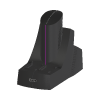 Meso Scale Diagnostics MESO QuickPlex SQ 120 MSD electrochemiluminescence (ECL) multiplex reader.
The MESO QuickPlex SQ 120 is an imaging plate reader from Meso Scale Diagnostics (MSD). It reads MSD’s immunoassay plates by electrochemiluminescence (ECL): each well carries electrodes printed with capture spots, a voltage applied to the electrodes makes the bound labels emit light, and a cooled CCD camera images that light. Because each spot in a well can carry a different assay, one well can measure up to ten analytes from a single sample.
MSD lists the SQ 120 among its previous models and states that an updated version is available: the MESO QuickPlex SQ 120MM. The Revolution driver is named for the SQ 120.
Revolution’s driver retrieves data; it does not run the instrument. It talks to MSD’s Methodical Mind Data Integration Agent (DIA), a Windows service on the MSD instrument computer that hands out, by barcode, the data Methodical Mind holds for plates already read. A schedule can fetch a read plate’s data as an XML file and check that the DIA is reachable. Starting a read, loading a plate and moving anything stay with the instrument and MSD’s software.
At a glance
Section titled “At a glance”| Detection | Electrochemiluminescence (ECL), cooled CCD camera |
| Multiplexing | Up to 10 assays per well |
| Plates | MSD 96-well SECTOR plates and MSD QuickPlex plates |
| Status | Previous model; MSD’s current version is the MESO QuickPlex SQ 120MM |
| Instrument software | MSD’s Methodical Mind software, on the instrument’s laptop (SQ 120MM) |
| Revolution transport | HTTP or HTTPS to the Methodical Mind Data Integration Agent, Windows authentication |
| Revolution control | Data retrieval only — fetch a read plate’s data by barcode, read the DIA version. No read, door or plate control |
Specifications
Section titled “Specifications”MSD publishes no specifications on its SQ 120 page. The figures below are from MSD’s Features and Specifications sheet for its successor, the MESO QuickPlex SQ 120MM (MK-DS-910-v3-2026Mar). They describe the current instrument; confirm with MSD before relying on them for an SQ 120.
| Catalogue number | AI1AA-0 |
| Detection technology | Electrochemiluminescence (ECL) |
| Detection system | Cooled scientific-grade CCD camera and precision custom lens assembly |
| Multiplexing | Up to 10 assays per well |
| Plate compatibility | MSD 96-well SECTOR plates; MSD QuickPlex plates |
| Sensitivity | Limits of detection as low as 0.05 to 1 pg/mL for many assays |
| Dynamic range | Greater than 105 |
| Plate read time | SECTOR plates 1 min 30 s; QuickPlex plates 2 min 45 s (singleplex to 10-spot multiplex) |
| Throughput | SECTOR plates 40 plates/hour; QuickPlex plates 22 plates/hour |
| Plate stacker | 5-plate input stack, 5-plate output stack |
| Operating temperature | 20 °C to 26 °C (68 °F to 78 °F) |
| Operating humidity | 10% to 80% relative humidity, non-condensing |
| Maximum altitude | 2,000 m (6,500 ft) |
| Sound level | 59 dBA |
| Weight | 20.2 kg (44.5 lb) |
| Size (W × D × H) | 33 × 58 × 53 cm (13 × 23 × 21 in) |
| Power | 100–240 VAC, 50–60 Hz, 155 W max |
| Use | For research use only; not for use in diagnostic procedures |
MSD also states the SQ 120MM has no fluidics and needs no daily or monthly user maintenance, and that its footprint is a quarter of the size of MSD’s SECTOR instruments.
The network requirement is worth knowing before the instrument goes on an automation network. MSD states the instrument’s computer must be connected to the network, and that the Methodical Mind software needs an internet connection to the methodicalmind.com domain over HTTPS on TCP port 443.
Supported methods
Section titled “Supported methods”- Get Plate Data — fetch everything Methodical Mind holds for a plate that has already been read,
by its barcode, and save it as an XML file. The file goes in the step’s Destination Folder, or
the device’s Plate Data Folder when the step names none, and is named from the barcode and the
time it was fetched (
<barcode>_yyyyMMdd-HHmmss-fff.xml), so fetching the same plate again never overwrites an earlier copy. The barcode and the saved file’s full path are published to the schedule asQuickPlex.PlateBarcodeandQuickPlex.PlateDataFile - Get Dia Version — ask the DIA for its version and publish it as
QuickPlex.DiaVersion. Nothing is sent to the instrument. Use it to prove from a schedule that the DIA is reachable and accepts the Windows account Revolution runs under
Get Plate Data checks before it sends. The barcode must be given, and one containing /, \,
?, # or a control character is refused, since it could not travel safely as one part of the
request URL. The folder must be a full drive or UNC path on the Revolution host; it is created if it
is missing. These checks also run in simulation, so a schedule that would fail on the real system
fails in simulation too.
What makes the step fail. The step fails, and writes no file, if the DIA cannot be reached or does
not answer within the request timeout, refuses the request, or returns something that is not
well-formed XML. Where the DIA’s answer carries one of the error codes MSD documents for it, the
step’s message explains it: the Methodical Mind database is not running (8704), no plate with that
barcode has been read on this instrument computer (16301), the barcode is locked in Methodical Mind
(16302), the plate was skipped when read (16303), or the DIA failed to get the plate (16305). A refusal
with HTTP 403 means the Windows account Revolution runs under is not in the DIA’s DIAUsers group.
The XML is saved as the DIA returns it. The driver checks only that it is well-formed; it does not interpret it, and the layout of the document is MSD’s.
The file is written beside its final name and then renamed, so a program watching the folder never picks up a half-written file.
What the driver does not do
Section titled “What the driver does not do”- It cannot start a read. The DIA has no command to start a read, open the door, load or eject a plate or move the stacker, so neither does the driver. Every read is started at the instrument, in MSD’s software.
- It cannot tell whether a read has finished, so it cannot wait for one. Get Plate Data fails if Methodical Mind holds no data for the barcode yet, and the timing between the read and that step must be arranged in the schedule.
- It declares no locations of its own. Any location a mover uses to present a plate to the reader is defined in the system configuration, and Revolution treats it as a plain stop on the plate’s route.
- It does not parse results into schedule values; the plate data stays in the saved XML file.
Integration
Section titled “Integration”Revolution talks to the DIA over HTTP or HTTPS, sending two read-only requests: one for the plate data by barcode and one for the version. The DIA authorises by Windows account rather than by key or password: every request carries the Windows credentials of the account Revolution runs under, and the DIA accepts it only if that account is in the DIAUsers group on the instrument computer or its domain. The driver follows no redirects, so those credentials are never passed on to another host.
For HTTPS, the DIA’s certificate is validated normally. If Windows does not trust it — a self-signed certificate, or one not issued for the instrument computer’s name — the certificate’s SHA-1 thumbprint can be set on the device, and that one certificate is then accepted.
Initialising the device asks the DIA for its version. That proves the URL, network, firewall and DIAUsers membership before a schedule depends on them; if it fails, the device does not initialise and the message says why. Uninitialising releases the connection.
In simulation, nothing is sent to the DIA and no file is written. Get Dia Version publishes
Simulation, and Get Plate Data publishes the barcode and an empty file path.
Prerequisites
Section titled “Prerequisites”- The DIA must be installed and its service running on the MSD instrument computer, and reachable from the Revolution host on its port through any firewall. It serves only data that Methodical Mind holds, so the instrument must be run with Methodical Mind.
- The Windows account Revolution runs under must be a member of the DIAUsers group on the instrument computer or its domain.
- Plates must be read at the instrument, under the barcodes the schedule will ask for, before Get Plate Data runs.
Device configuration
Section titled “Device configuration”| Property | Purpose |
|---|---|
| DIA URL | Scheme, host and port of the DIA, such as http://msdcomputer01:8080 or https://msdcomputer01:8001. Must be an http:// or https:// address |
| Request Timeout (s) | How long one request to the DIA may take. Defaults to 60 seconds |
| HTTPS Certificate Thumbprint | HTTPS only, and only when Windows does not trust the DIA’s certificate: the SHA-1 thumbprint of that certificate, which is then accepted. Blank keeps normal certificate validation |
| Plate Data Folder | Where Get Plate Data saves plate XML when the step names no folder of its own. A full drive or UNC path |
If you need more of this instrument driven from a schedule, get in touch — the driver is extended on demand.
Operations
These are available from a Run Device Operation step.
Get Dia Version
Asks the MSD Data Integration Agent for its version and publishes it as ${QuickPlex.DiaVersion}. A quick way to prove from a schedule that the agent is reachable and accepts the Windows account Revolution runs under; nothing is sent to the instrument.
Get Plate Data
Fetches all the data Methodical Mind holds for a plate that has already been read, through the MSD Data Integration Agent, and saves it as an XML file. The step fails if the barcode is unknown, locked or skipped on the instrument, or if the agent cannot be reached. The barcode and the saved file's path are published as ${QuickPlex.PlateBarcode} and ${QuickPlex.PlateDataFile}.
| Parameter | Type | Default | Description |
|---|---|---|---|
| Plate Barcode | string | — | Barcode of the plate whose data to fetch, as Methodical Mind recorded it. The plate must already have been read on the instrument, since the agent only returns data Methodical Mind holds. A barcode containing /, \, ? or # is refused before anything is sent. |
| Destination Folder | string | — | Folder to save the plate XML in. Blank uses the device's Plate Data Folder. A full drive or UNC path on the machine running Revolution, created if it is missing. The file is named from the barcode and the time it was fetched, so an earlier copy of the same plate is never overwritten. |
Raise Error
Makes this device report a failure on demand: the step fails with an error naming the device, and the operator is offered the usual error recovery choices. No command reaches the instrument and nothing moves, and the failure is raised in simulation as well as on a real system, so this is the step to use when rehearsing how a schedule handles a device failure.