
Search these docs, or ask Revo a question — answers link the pages they came from.
EL406 Washer Dispenser
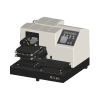 Agilent EL406 Washer Dispenser BioTek washer dispenser — runs onboard wash programs by name.
The BioTek EL406 is a compact washer dispenser: a full-plate washer with up to three reagent dispensers on one platform. Agilent describes it as covering standard assay washing and dispensing as well as biomagnetic separation and vacuum filtration protocols, with a Dual-Action manifold for loosely adherent cell monolayers and its patented Ultrasonic Advantage to clear the manifold tubes before a wash.
BioTek is now part of Agilent, so current product information appears under Agilent’s name. In 2023 Agilent announced the BioTek 406 FX as the successor to the EL406. The EL406 product page is still published; this page describes the EL406.
In Revolution the EL406 is driven exactly as the ELx405 Plate Washer is: the two drivers are the same shared washer implementation, registered under different names. The schedule picks a wash program stored on the instrument and runs it.
At a glance
Section titled “At a glance”| Type | Microplate washer with up to three reagent dispensers |
| Plate formats | 96-, 384- and 1536-well; low-profile and standard height; solid or filter bottom |
| Dispensers | Peristaltic pump and syringe pump modules |
| Wash speed | 96 wells about 13 s; 384 wells about 17 s; 1536 wells about 36 s (per Agilent) |
| Revolution transport | HTTP to a host on the instrument PC, which drives the washer over a serial port |
| Revolution control | Run an onboard wash program by name, home all axes |
Specifications
Section titled “Specifications”Agilent publishes the following in the BioTek EL406 Washer Dispenser data sheet (5994-2744EN).
| Plate types | 96-, 384- and 1536-well; low-profile and standard height; solid or filter bottom (option) |
| Wash manifolds | 192-tube for faster 384-well washing; 96-tube for 96- and 384-well; 32-tube for 1536-well |
| Wash speed, 96-well | About 13 s, 300 µL/well, 96-tube manifold |
| Wash speed, 384-well | About 17 s, 100 µL/well, 192-tube manifold |
| Wash speed, 1536-well | About 36 s, 10 µL/well, two 32-tube manifolds |
| Wash cycles | 1 to 250 |
| Wash volume | 3–3,000 µL/well, 1 µL increments |
| Residual volume | ≤2 µL/well |
| Wash buffers | Up to four, with the optional auto-switching module |
| Peristaltic pump dispenser | 500 nL to 3,000 µL/well; ±2% at 5 µL, ±5% at 1 µL |
| Syringe pump dispenser (optional, two syringes) | 3–3,000 µL/well; ±1 µL at 20 µL, ±1% at 100 µL |
| Reagent dispensers | Up to three |
| Shaking and soaking | Each programmable up to 60 minutes |
| Dimensions | About 18” D × 16.5” W × 12.5” H |
| Weight | About 14.5 kg (32 lb) |
Plate format is a hardware choice. The manifold that washes a 1536-well plate is not the one that washes a 96-well plate, and the published wash speeds are each tied to a specific manifold. A schedule that sends a different plate format through the washer needs the matching manifold fitted and a program written for it — Revolution can do neither.
Supported methods
Section titled “Supported methods”The wash itself is defined on the instrument. Revolution selects a stored program and waits for it.
- Run onboard program — run a wash program stored on the instrument, by name, and hold the step open until the washer reports it complete. The step’s timeout is the longest the program is allowed to run before the step fails
- Home all axes — return the manifold and stage to their home positions. The washer must be initialised first
The driver also homes all axes automatically before every pick and place. Whenever a mover is about to take a plate off the washer or put one on, Revolution homes the washer first, so the manifold is out of the way. This is not something a schedule has to arrange.
What the driver does not do
Section titled “What the driver does not do”- It does not author or edit wash programs, or run individual wash, dispense, prime, shake or soak steps. Everything a wash does lives in the onboard program.
- It does not select a dispenser, buffer or manifold, or read the instrument’s configuration.
- There is no LHC route for the EL406. Revolution declares a separate LHC device for the ELx405 only; the EL406 runs onboard programs.
Integration
Section titled “Integration”Revolution does not talk to the washer directly. A separate 32-bit host process on the instrument PC loads BioTek’s washer control — an ActiveX control installed with Agilent’s Liquid Handling Control (LHC) software — and the driver connects to that host over HTTP. The host drives the washer on the configured COM port. This is the same host and the same control the ELx405 uses.
The host initialises the BioTek control with a fixed hardware type, the ELx405 Select washer, and that is not configurable from Revolution. The EL406 shares the 405’s protocol, which is why the shared driver serves it, but confirm the instrument initialises and runs a program on your bench before relying on it in a schedule.
Prerequisites
Section titled “Prerequisites”- LHC must be installed on the instrument PC, and BioTek’s washer ActiveX control registered from
the LHC installation folder with the 32-bit
regsvr32. The control depends on files beside it in that folder; registered from anywhere else, it fails to load and the device fails to initialise. - The host must be running before the device is initialised in Revolution, and the device’s URL must match the host’s address and port.
- The programs the schedule calls must already exist on the instrument, under exactly the names the schedule uses. Revolution runs them; it does not author washes.
- Buffer supply and waste must be connected and adequate for the run. Revolution cannot check either.
- The fitted manifold and dispensers must suit the plates the schedule sends.
Device configuration
Section titled “Device configuration”| Property | Purpose |
|---|---|
| URL | Address of the washer host. Defaults to http://localhost:1023/biotekelx405; each washer’s host normally gets its own port |
| COM Port | Serial port the instrument is connected on, passed to the host when the device initialises |
If you need more of this instrument driven from a schedule, get in touch — the driver is extended on demand.
Operations
These are available from a Run Device Operation step.
Home All Axes
Homes all of the washer's axes, returning the manifold and stage to their home positions. The device must be initialised first, and the same homing happens automatically before a plate is picked from or placed on the washer.
Raise Error
Makes this device report a failure on demand: the step fails with an error naming the device, and the operator is offered the usual error recovery choices. No command reaches the instrument and nothing moves, and the failure is raised in simulation as well as on a real system, so this is the step to use when rehearsing how a schedule handles a device failure.
Run Onboard Prog
Runs one of the wash programs stored on the washer, selected by name, and holds the step open until the washer reports the program complete. The wash steps themselves are held on the instrument, so the schedule supplies only the program name and the time to allow for it.
| Parameter | Type | Default | Description |
|---|---|---|---|
| Program Name | string | — | Name of the wash program to run, exactly as it is stored on the washer. |
| Timeout | TimeSpan | — | Longest the wash program is allowed to run before the step fails. The step fails if the washer has not reported the program complete by then. |