
Search these docs, or ask Revo a question — answers link the pages they came from.
Trisonic Discovery A1
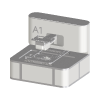 Trisonic Discovery Trisonic Discovery A1 Compact acoustic nanolitre dispenser.
The A1 is an acoustic dispenser from Trisonic Discovery. Acoustic dispensing moves liquid without touching it: sound energy ejects droplets from a source plate into a destination plate, so there are no tips to consume and nothing that dips into the sample. Trisonic describes the A1 as a compact, affordable nanolitre dispenser that transfers small volumes between microtiter plates from various vendors. It is the same class of instrument as the Labcyte Echo.
Trisonic Discovery Ltd is based in Bolton, in the United Kingdom. It states that it has been part of the Hamilton group since 16 July 2025.
At a glance
Section titled “At a glance”| Type | Acoustic, non-contact nanolitre dispenser |
| Volume | 2.5 nL, per Trisonic |
| Liquids | Aqueous and DMSO |
| Instrument software | Web-based; Trisonic publishes a free, open-source API |
| Revolution control | None in practice — one status operation that only writes to the Revolution log |
Specifications
Section titled “Specifications”Trisonic Discovery publishes the following on its A1 product page. It publishes no datasheet, and no figures for plate formats, transfer speed, precision or dimensions.
| Volume | 2.5 nL |
| Liquids | Aqueous and DMSO |
| Software | Web-based; no application to install |
| API | Free, open-source |
| Size | Compact; fits in a biosafety cabinet |
| Weight | 30 kg |
Trisonic states the 2.5 nL figure without saying whether it is the droplet size or the smallest transfer. If your workflow depends on it, confirm it with Trisonic.
Supported methods
Section titled “Supported methods”The Revolution driver for the A1 is a placeholder. It registers the instrument and its model, so that an A1 can be added to a system, given a location and included in a schedule, but it does not communicate with the instrument.
- Get status — writes a line to the Revolution device log. It does not query the instrument, and it returns no status a schedule can act on.
There is no operation to run a transfer, load a pick list or survey a source plate. A schedule that routes plates through an A1 relies on a transfer being started at the instrument, outside Revolution.
Integration
Section titled “Integration”The driver declares a COM port property, which suggests a serial connection was intended, but the driver never opens the port. Trisonic’s own interface to the A1 is its web-based software and its open-source API; the Revolution driver uses neither.
Prerequisites
Section titled “Prerequisites”- The instrument must be positioned so that the system’s mover can reach its plate positions.
- Any transfer must be set up and started from Trisonic’s own software. A schedule step cannot do it.
- Timing must be arranged by hand. Because Revolution cannot read the instrument’s state, a schedule cannot wait on a transfer finishing.
Device configuration
Section titled “Device configuration”| Property | Purpose |
|---|---|
| COM port | Serial port for the instrument. Declared, but not used by the current driver |
If you need more of this instrument driven from a schedule, get in touch — the driver is extended on demand.
Operations
These are available from a Run Device Operation step.
Get Status
Get the A1 status
Raise Error
Makes this device report a failure on demand: the step fails with an error naming the device, and the operator is offered the usual error recovery choices. No command reaches the instrument and nothing moves, and the failure is raised in simulation as well as on a real system, so this is the step to use when rehearsing how a schedule handles a device failure.