
Search these docs, or ask Revo a question — answers link the pages they came from.
Synergy H1
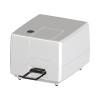 Agilent Synergy H1 BioTek hybrid multimode reader.
The BioTek Synergy H1 is a modular multimode microplate reader. Agilent describes its optics as hybrid: monochromator-based and filter-based optics for fluorescence and luminescence, alongside filter-free UV-Vis absorbance. Detection modes, gas control and reagent injectors can be added to an instrument after purchase, so what a given H1 can measure depends on how it was configured.
BioTek is now part of Agilent, so current product information appears under Agilent’s name. Agilent also sells a clinical (IVD) version of the reader, run under Gen5 IVD software.
In Revolution, this driver is a scaffold. It registers the instrument so that a system can be configured against it, and nothing more: it opens no connection and sends no command. The Synergy Neo2 has a separate driver that does drive its reader through Gen5; none of that applies to the H1.
At a glance
Section titled “At a glance”| Type | Hybrid multimode microplate reader — monochromator and filter optics |
| Read methods | End point, kinetic, spectral scanning, well-area scanning |
| Absorbance | 230–999 nm, 1 nm increments; 0–4.0 OD |
| Labware | 6- to 384-well plates, Take3 micro-volume plates |
| Instrument software | Gen5, per Agilent; Gen5 Secure for 21 CFR Part 11 is an option |
| Revolution transport | None — the driver opens no connection |
| Revolution control | None. One diagnostic operation that writes to the Revolution log |
Specifications
Section titled “Specifications”Agilent publishes the following in the BioTek Synergy H1 Multimode Reader data sheet (5994-3583EN). Several figures depend on the configuration — Agilent separates the monochromator (“M2”) configurations from the filter-only ones.
| Absorbance wavelength range | 230–999 nm, 1 nm increments |
| Absorbance bandwidth | 4 nm (230–285 nm); 8 nm (>285 nm) |
| Absorbance dynamic range | 0–4.0 OD |
| Absorbance accuracy | <1% at 3.0 OD |
| Absorbance read speed | 96 wells, kinetic: 11 s |
| Fluorescence wavelength range (monochromator) | 250–700 nm (900 nm option) |
| Fluorescence bandwidth (monochromator) | Variable, 9–50 nm in 1 nm increments, on M2 configurations |
| Fluorescence dynamic range | 7 decades |
| Fluorescence polarisation | Filter-based, 280–700 nm (850 nm option); 2 mP standard deviation at 1 nM fluorescein |
| Time-resolved fluorescence sensitivity | <40 fM |
| Luminescence sensitivity | 20 amol ATP (monochromator); 10 amol ATP (filter) |
| Temperature control | To 70 °C on M2 configurations; to 45 °C on all others |
| Shaking | Linear, orbital, double orbital |
| Reagent dispensers | 2 syringe pumps; 5–1,000 µL in 1 µL increments; 1.1 mL dead volume |
| Labware | 6- to 384-well plates; Take3 micro-volume plates |
| Power | 130 W max |
| Dimensions (W × D × H) | 37.5 × 46.4 × 33 cm |
| Weight | <24.95 kg (55 lb) |
Agilent’s product page adds automated z-focus for the reading height, CO₂/O₂ control for live-cell work, and two injector tip types — straight for rapid inject-and-read assays, angled for applications such as calcium kinetics. For automation, Agilent lists compatibility with its BioStack stacker and BioSpa 8.
Supported methods
Section titled “Supported methods”None that reach the instrument. The driver declares a single operation, Debug, which writes the message it is given to the Revolution device log and does nothing else. Initialising the device writes a log line and likewise talks to no hardware.
In practice that means a schedule cannot open or close the plate carrier, start a Gen5 protocol, read a plate, or collect a result. A schedule that routes a plate through this location and expects a reading is relying on something outside Revolution to have taken it.
The driver declares no fixed set of locations. Any location a mover uses to present a plate is defined in the system configuration, and Revolution treats it as a plain stop on the plate’s route.
Integration
Section titled “Integration”Revolution reaches the instrument only as a configured device. There is no transport configured, no vendor software in the path and no process model. Agilent controls the reader through its Gen5 software; the Revolution driver does not use it.
Prerequisites
Section titled “Prerequisites”- Every read must be started at the instrument or from Gen5. A schedule step cannot do it.
- The plate carrier must be out whenever a mover places or picks a plate. Revolution does not command the carrier, so nothing in a schedule guarantees this.
- Timing must be arranged by hand. Because Revolution cannot ask the reader whether it is busy, a schedule cannot wait on a read finishing.
Device configuration
Section titled “Device configuration”| Property | Purpose |
|---|---|
| — | The driver declares no configurable device properties — there is not yet a connection setting. Only the standard device settings — name and locations — apply. |
If you need more of this instrument driven from a schedule, get in touch — the driver is extended on demand.
Operations
These are available from a Run Device Operation step.
Debug
Writes the given message to the device log and does nothing else. This driver is a scaffold awaiting implementation, so no command reaches the instrument.
| Parameter | Type | Default | Description |
|---|---|---|---|
| message | string | Synergy H1 debug |
Raise Error
Makes this device report a failure on demand: the step fails with an error naming the device, and the operator is offered the usual error recovery choices. No command reaches the instrument and nothing moves, and the failure is raised in simulation as well as on a real system, so this is the step to use when rehearsing how a schedule handles a device failure.